Template
Timesheet templates
A timesheet is a simple record of the hours someone has worked.
Download the template
Download everything
All 2 versions, in Word and PDF, in one ZIP file (869 KB).
How to use it
- Choose the weekly or monthly version and download it as Word or PDF.
- Write your name, who you work for and the week or month at the top.
- Each working day, enter the start time, break length and finish time.
- Work out the hours as finish minus start minus break, and write them as hours and minutes, such as 7:15.
- Add up the hours column, sign it, and ask your manager to sign.
About this template
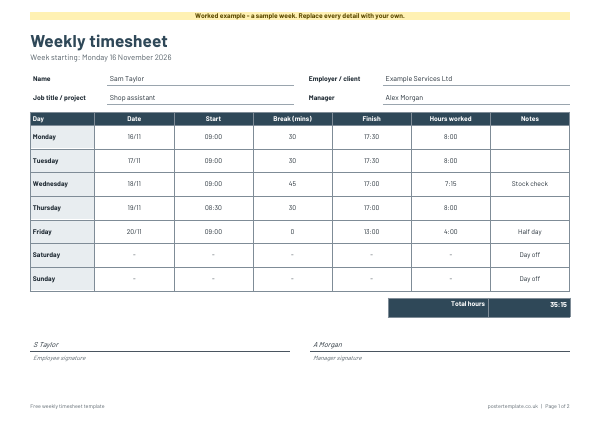
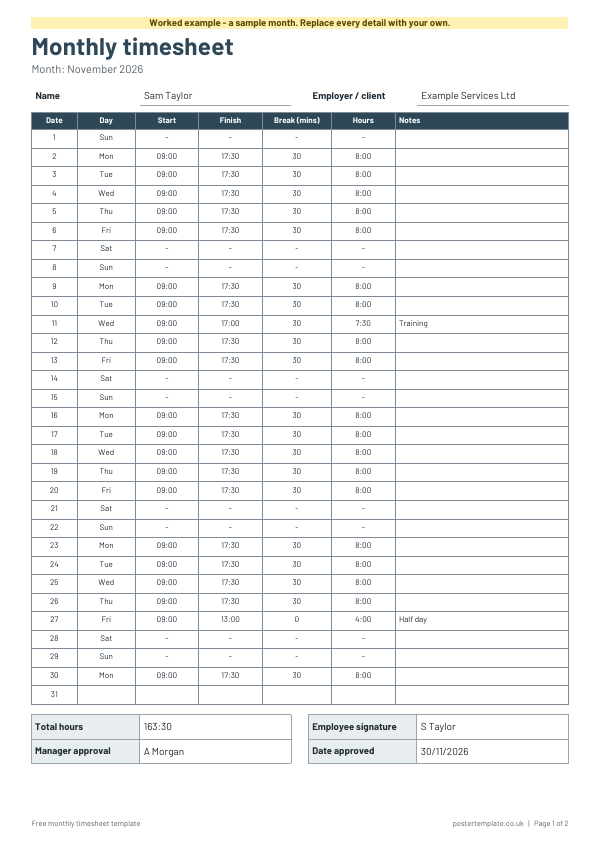
We have made two versions. The weekly timesheet is landscape, with a row for each day and columns for date, start, break, finish, hours worked and notes. The monthly timesheet lists dates one to 31 on a single page, which suits regular shift patterns and part-time work. Both have signature boxes for the employee and manager. Download them as Word to fill in on screen or as PDFs to print, and use the worked examples to see how hours are written and totalled.
Questions
Weekly or monthly timesheet: which should I use?
Use the weekly version if you hand in hours each week or have varied shifts. Use the monthly version if you are paid monthly or work a regular pattern.
Does the timesheet calculate hours for me?
No. These are printable forms, so you do the sums by hand. The worked examples show how.
Can I use it for freelance or client work?
Yes. Write the client or project in the employer line and use the notes column for task details.
Where can I find guidance on working hours and pay?
This template only records hours. For rules about working time, pay and holiday, see GOV.UK or ACAS.
Related templates
 Mileage log templates
 Invoice templates
 Weekly planner templates
Free, no sign-up. Edit the Word file or print the PDF. All templates