Template
Mileage log templates
A mileage log is a running record of journeys, so you can show how many miles you drove for work.
Download the template
Download everything
Blank and worked example, in Word and PDF, in one ZIP file (430 KB).
Buy a durable version
Useful extras if you are printing and using this template regularly. The pictures are our own free designs, not the Amazon products.
Vehicle mileage log book
View on Amazon - Vehicle mileage log book (affiliate link, opens in a new tab)
Some links are affiliate links - we may earn a small commission at no cost to you. As an Amazon Associate I earn from qualifying purchases. How affiliate links work
How to use it
- Download the Word or PDF version and print a few copies.
- Add your name, the vehicle details and the period the log covers.
- At the start of each journey write the odometer reading, and write it again at the end.
- Record where you started, where you went and the business reason for the trip.
- Subtract the start reading from the end reading, then total the miles at the end of the period.
About this template
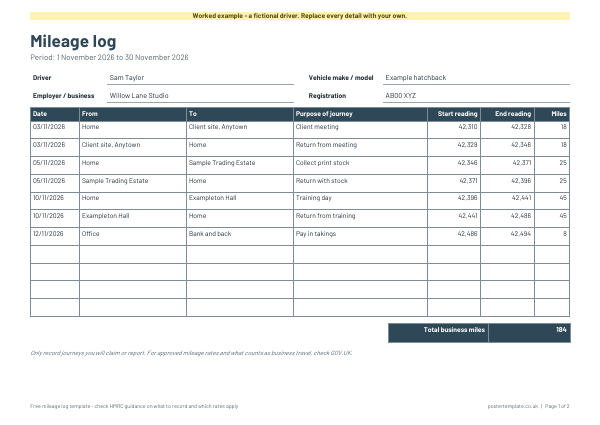
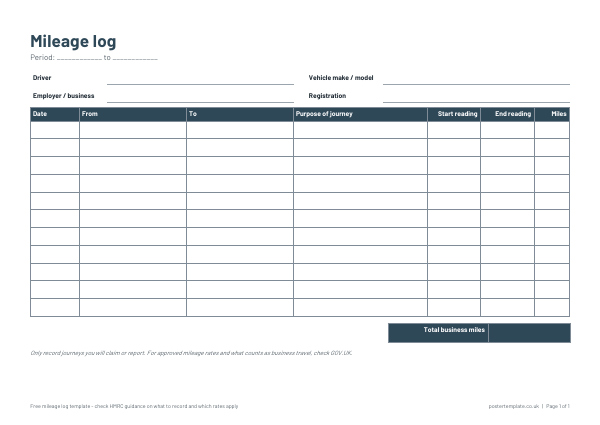
This free landscape template has columns for the date, where you started, where you went, the purpose of the journey, the start and end odometer readings and the miles driven, with a total at the bottom. It suits self-employed people, employees using their own car, volunteers and small business owners. Download it as Word to complete on screen or as a PDF to print and keep in the vehicle. A worked example shows a month of fictional trips and how the miles are worked out.
Questions
Which journeys should I record?
Record journeys you plan to claim for or report. HMRC explains which journeys count as business travel on GOV.UK.
What mileage rate should I use?
Rates and rules are set by HMRC and can change. Check GOV.UK for the current guidance rather than relying on this page.
Do I have to record odometer readings?
The template has columns for them because they make the log easy to check. Some people record only the miles driven. Use whichever method your records need.
Can I keep it digital?
Yes. Fill in the Word version on screen and save a new copy for each period.
Related templates
 Timesheet templates
 Invoice templates
 Receipt templates
Free, no sign-up. Edit the Word file or print the PDF. All templates